Platform
Updates
Computle Platform Updates: September 2026
September 2026 — In this post, we're covering a set of changes to the Computle platform that benefit our users. New views are available to preview in the Computle portal today, and automatic workstation recovery is now active on all accounts. The remaining changes will be rolled out over the next few months.
New in preview on your Computle portal
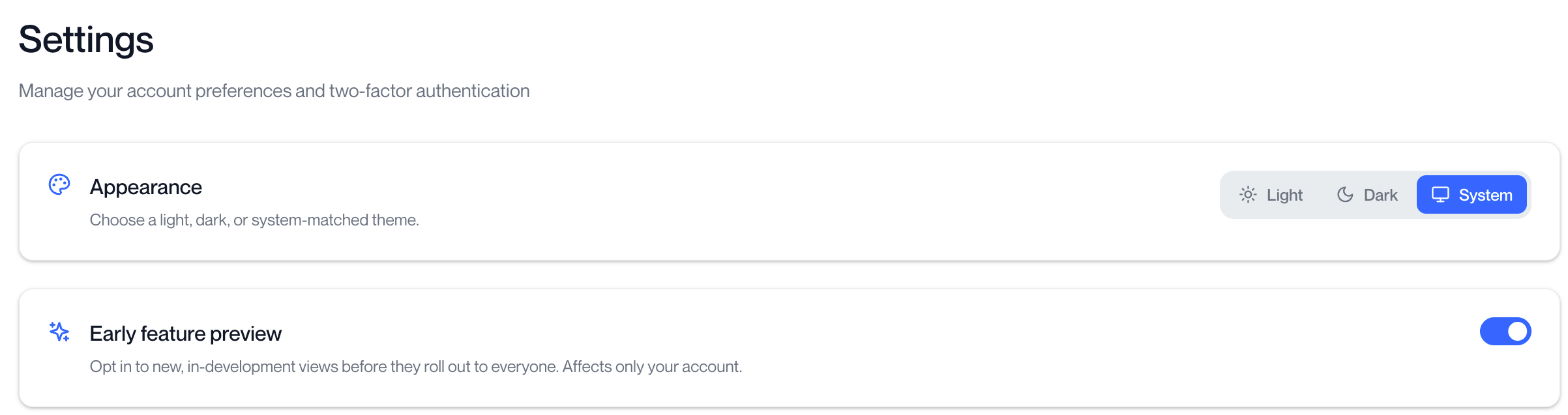
New views are available to preview in the Computle portal before they are released to all accounts. Portal administrators can turn them on under Settings > Early feature preview. The setting applies only to your own login and can be turned off at any time.
Workstation Usage Report
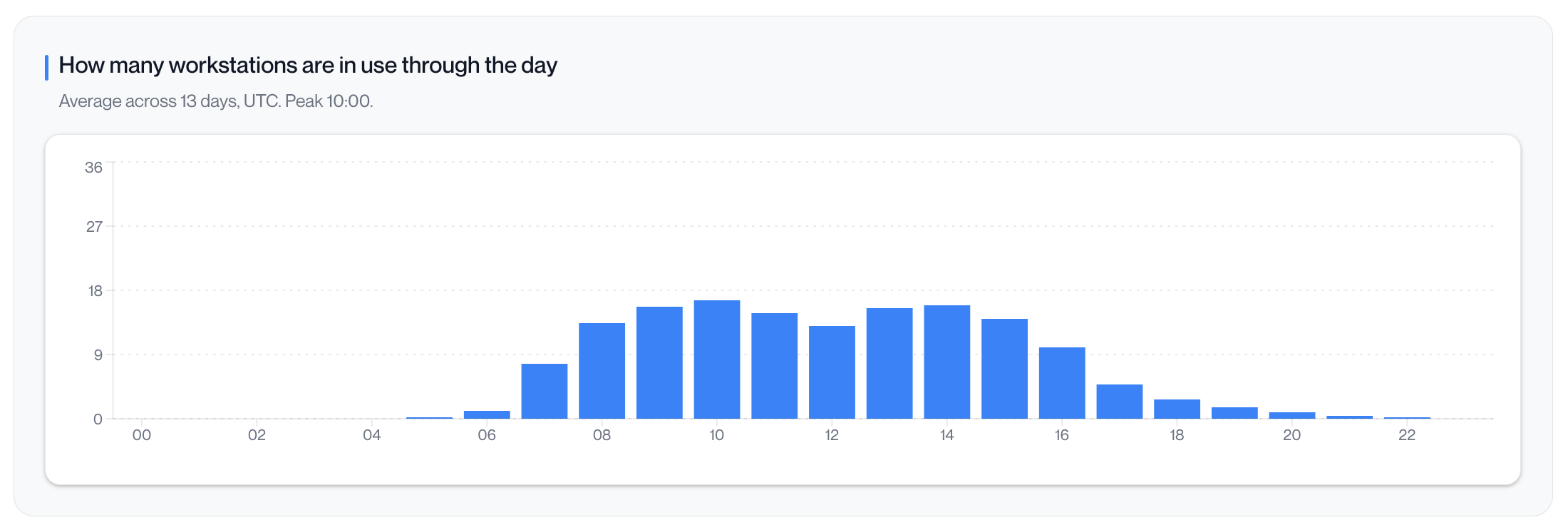
A report on how your workstations are used over a month or a week. It shows the hours each workstation was in use against the hours available, how many workstations are in use at each hour of the day, outstanding updates, connection quality for each person, and energy use in kWh.
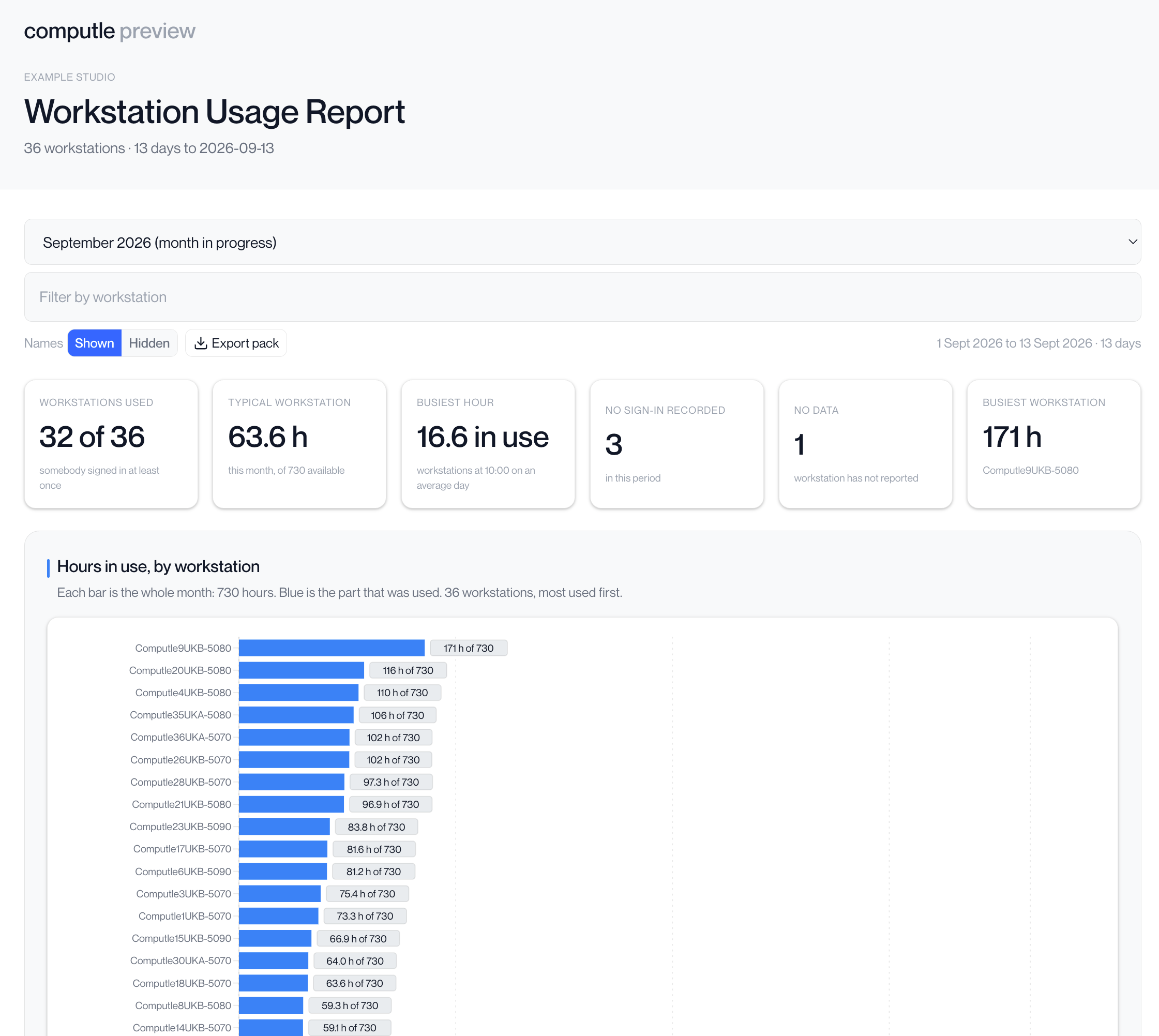
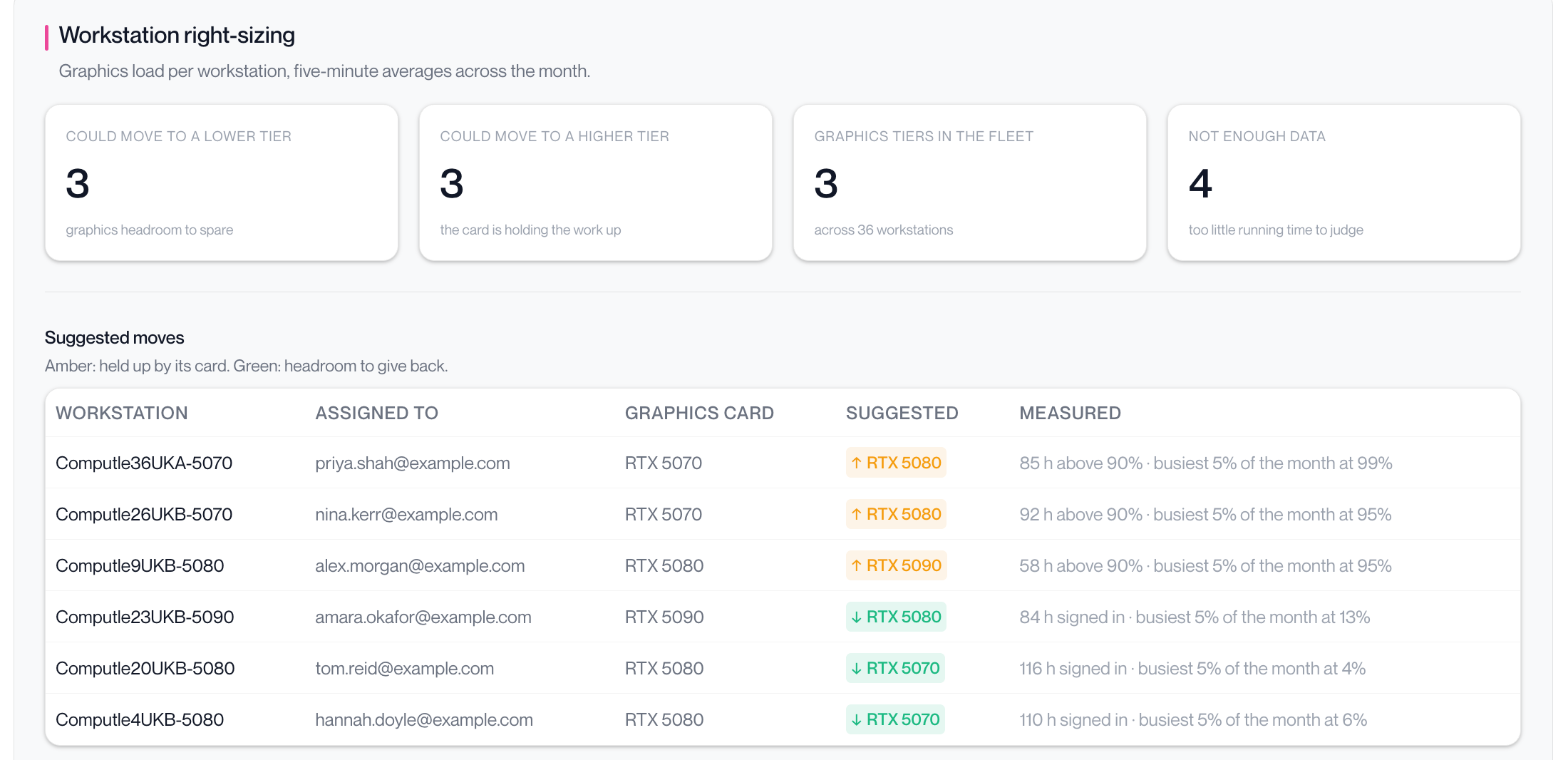
Right-sizing compares each workstation's graphics load with its card, and lists the workstations held back by their card and those with capacity to spare. Names can be hidden before the report is shared, and Export pack downloads slides, a workbook and the underlying CSV files.
Network
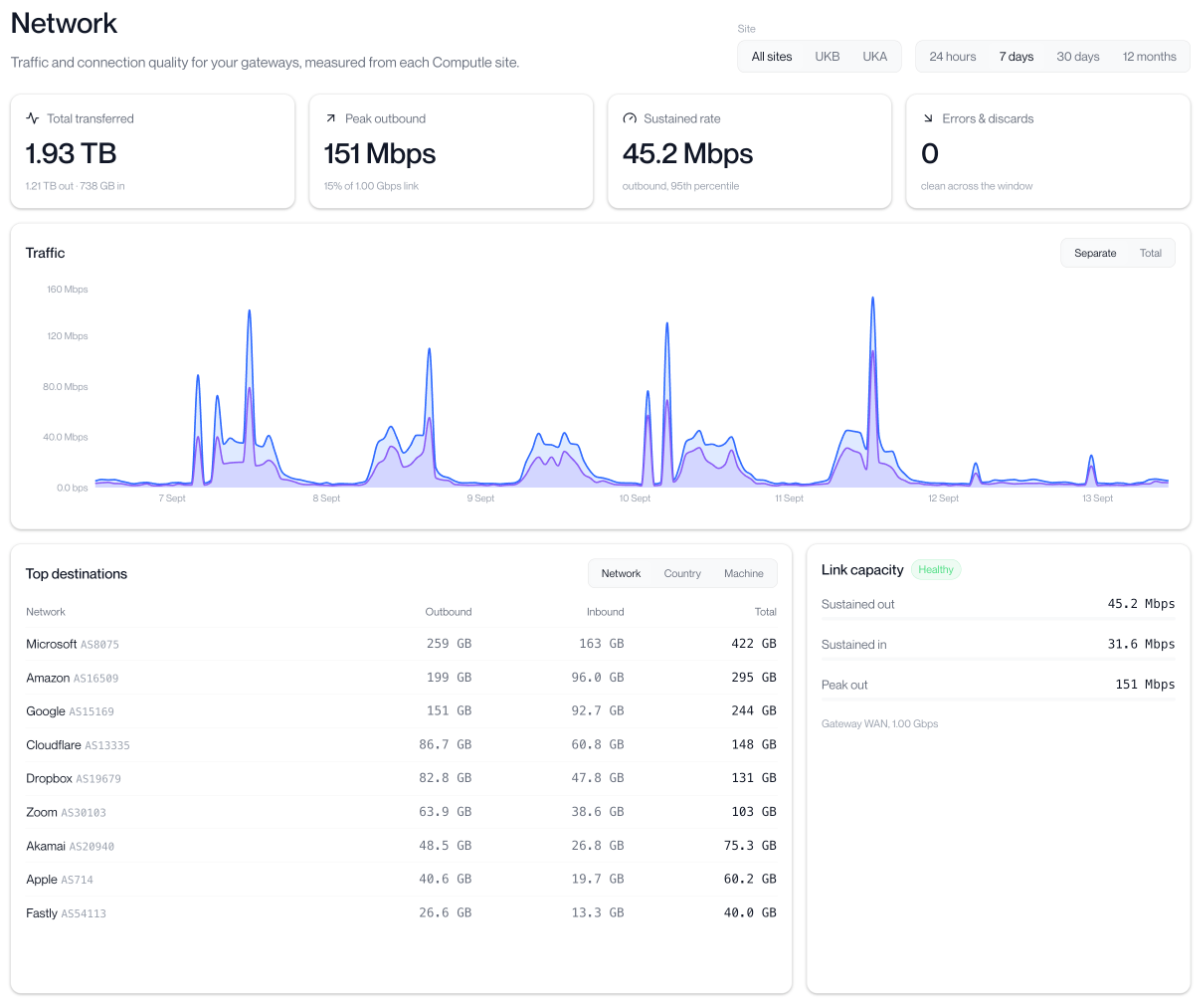
Traffic through your gateway from the last 24 hours to the last 12 months, with peak and sustained (95th percentile) rates against your link capacity, and the networks and countries your traffic goes to.
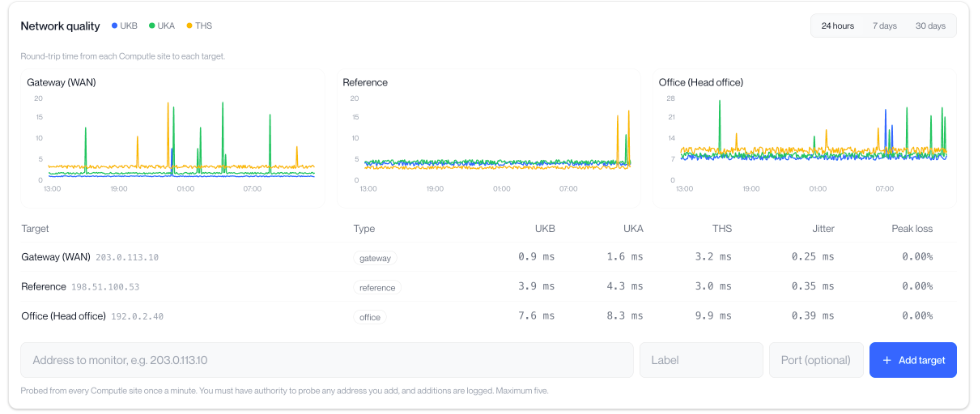
Network quality shows round-trip time and packet loss from each Computle site to your gateway and office, measured every minute. You can add up to five addresses of your own to monitor. Network is being switched on for accounts in stages, so it may not appear in your menu straight away.
Latency
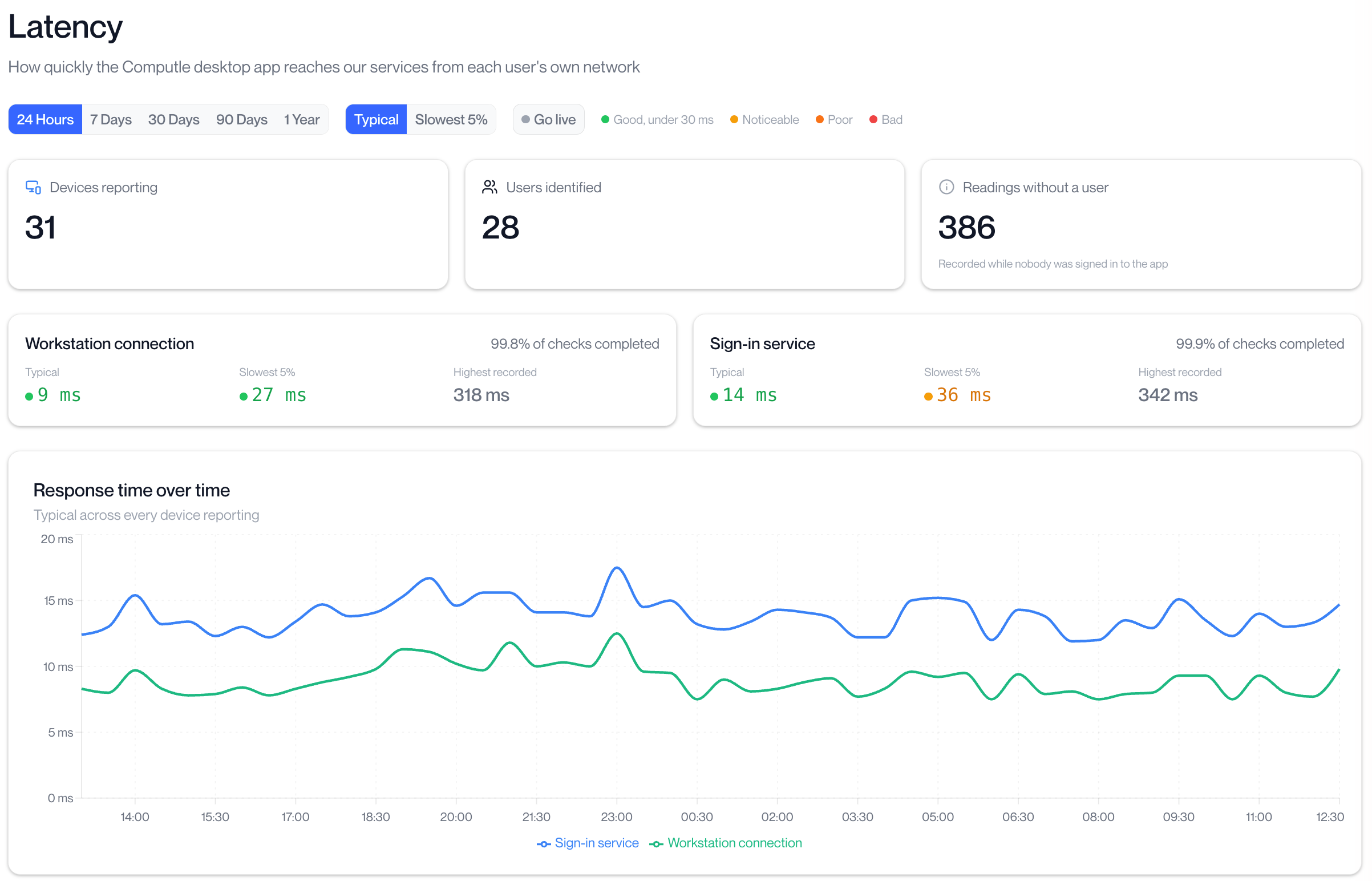
How quickly the Computle desktop app reaches our services from each user's own network. It shows typical and slowest 5% response times over time, the share of checks that completed, and a breakdown by user and device, so a slow home or office connection can be identified.
Automatic workstation recovery
Automatic recovery is now active on all accounts. If a workstation stops responding, Computle restarts it automatically and checks that it returns to service.
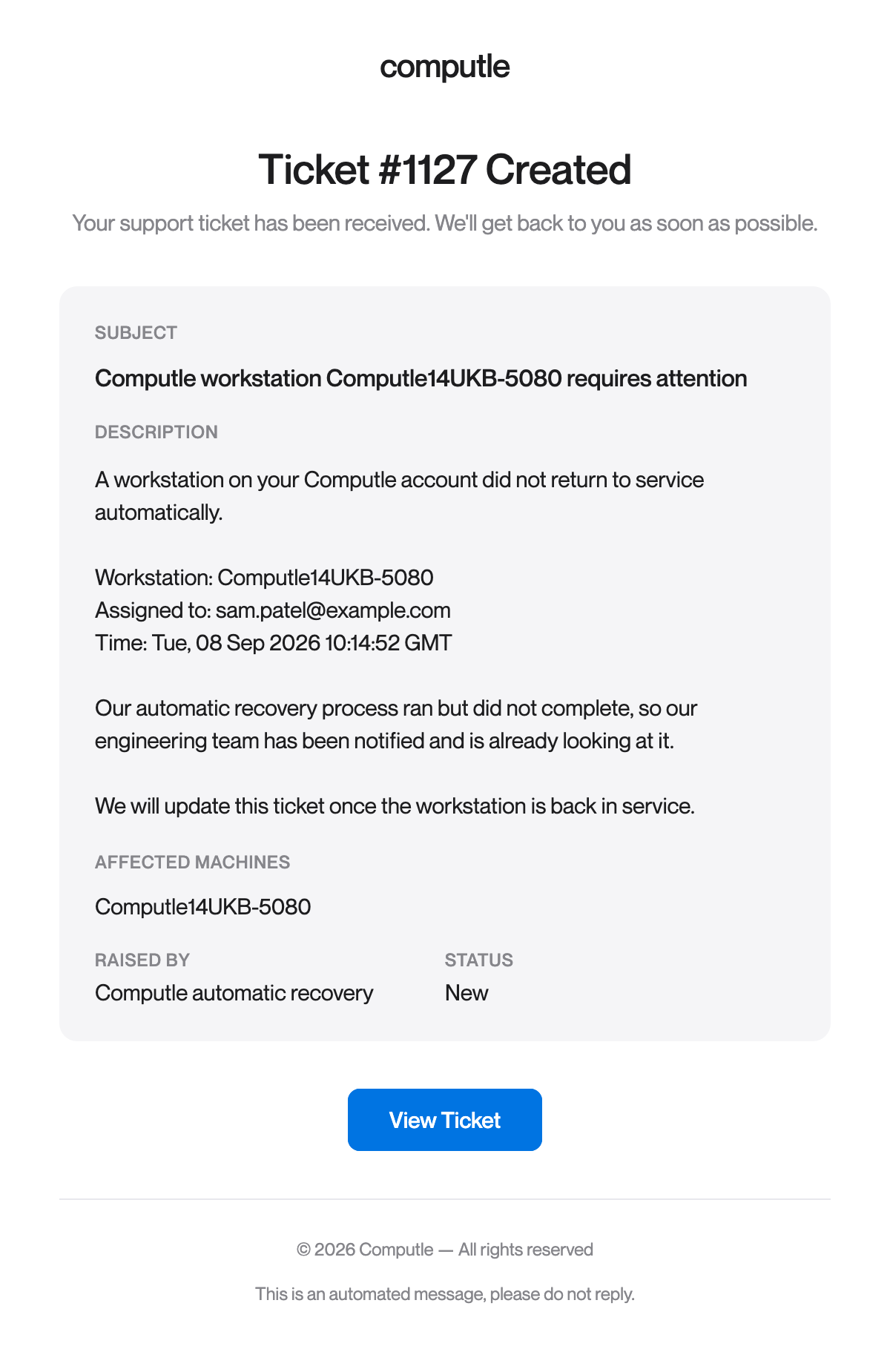
If recovery does not bring the workstation back, a support ticket is opened automatically and the contacts listed under Users > Support Contacts receive a notification like the one below. Our engineering team is alerted at the same time, and the ticket is closed once the workstation is back in service.
The person assigned to the workstation can also be emailed when recovery is under way and again when the workstation is back in service. Contact us if you would like this turned on for your account.
If you have questions about any of these, raise a ticket from Support in the portal.
Portal screenshots show example data.
Coming next
The following changes will be rolled out over the next few months.
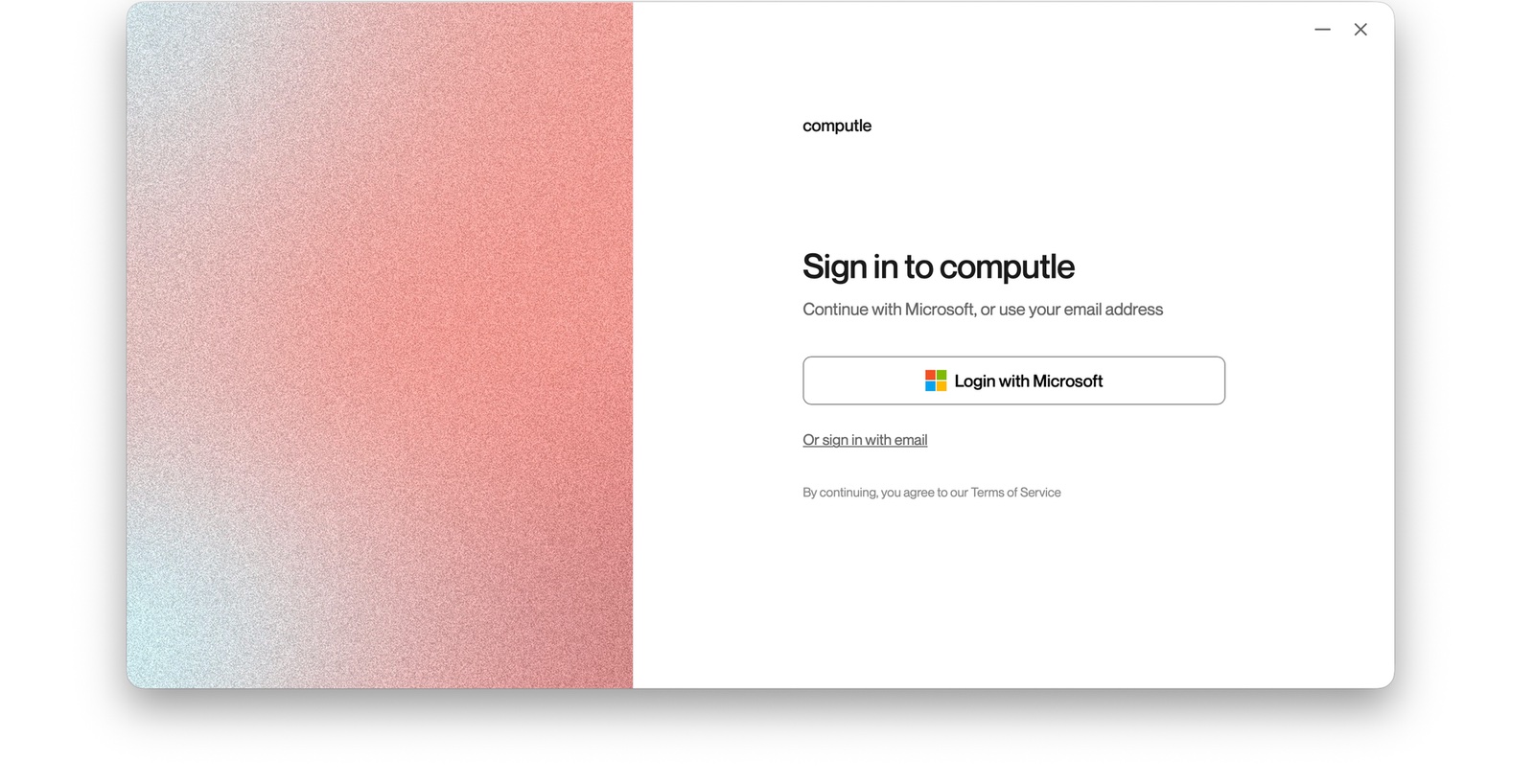
Single Sign-On
A heavily requested feature is SSO, bringing Computle in line with enterprise peers like Horizon and Citrix. Starting with select tenants, Computle will use modern Windows authentication methods to automatically sign users into their Computle workstation. This is still early in development, but our team has a working prototype with Microsoft Entra.
Built-in Kiosk Mode
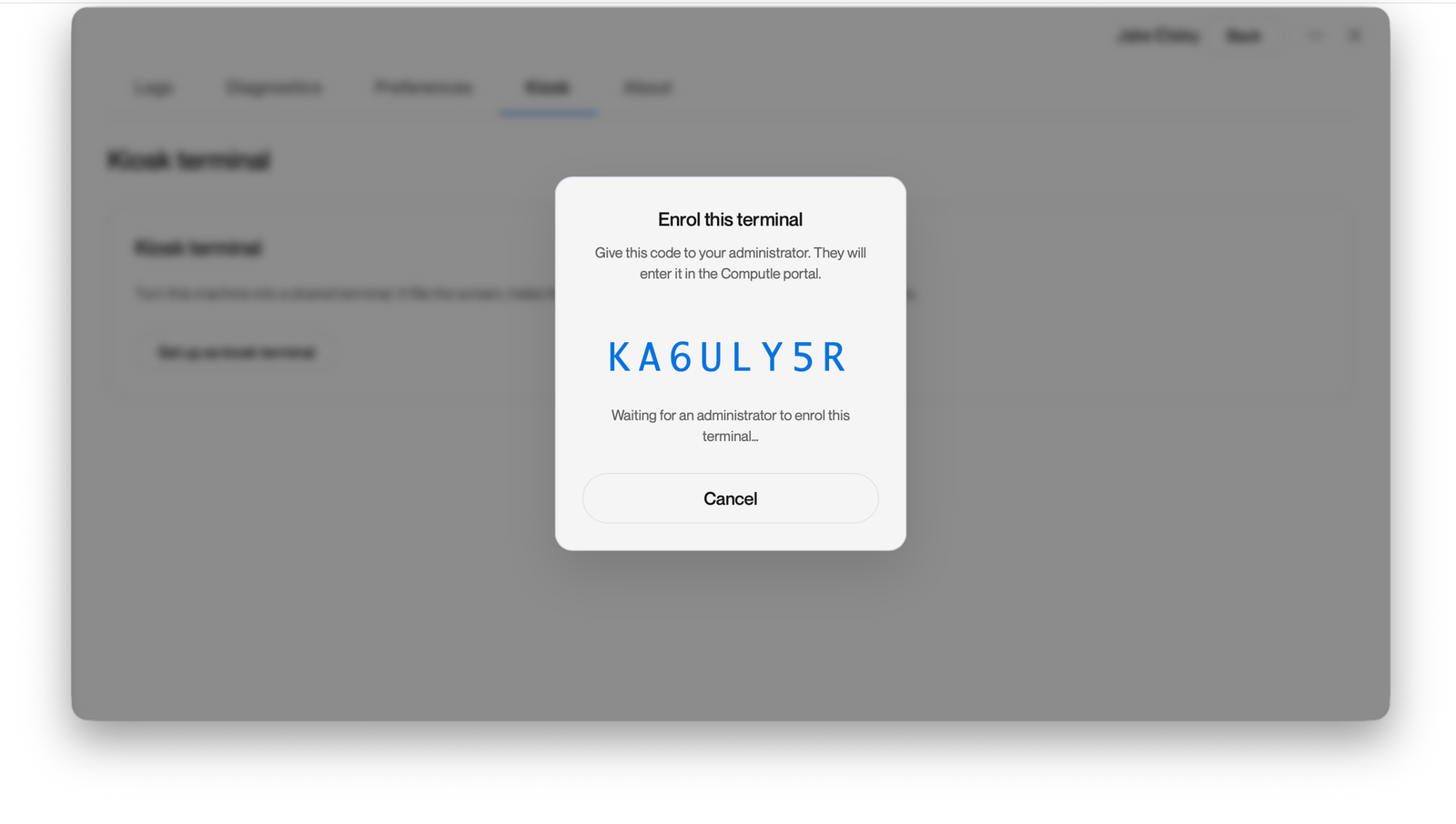
To support customers in shared environments, we're introducing Kiosk Mode. Once activated, it turns the connecting device into a single-application session — administrators simply enter a pairing code, easily read by local users, and the Computle Client launches fullscreen. Kiosk Mode also supports branded backgrounds, so administrators can upload their own company assets.
Automatic camera and microphone controls
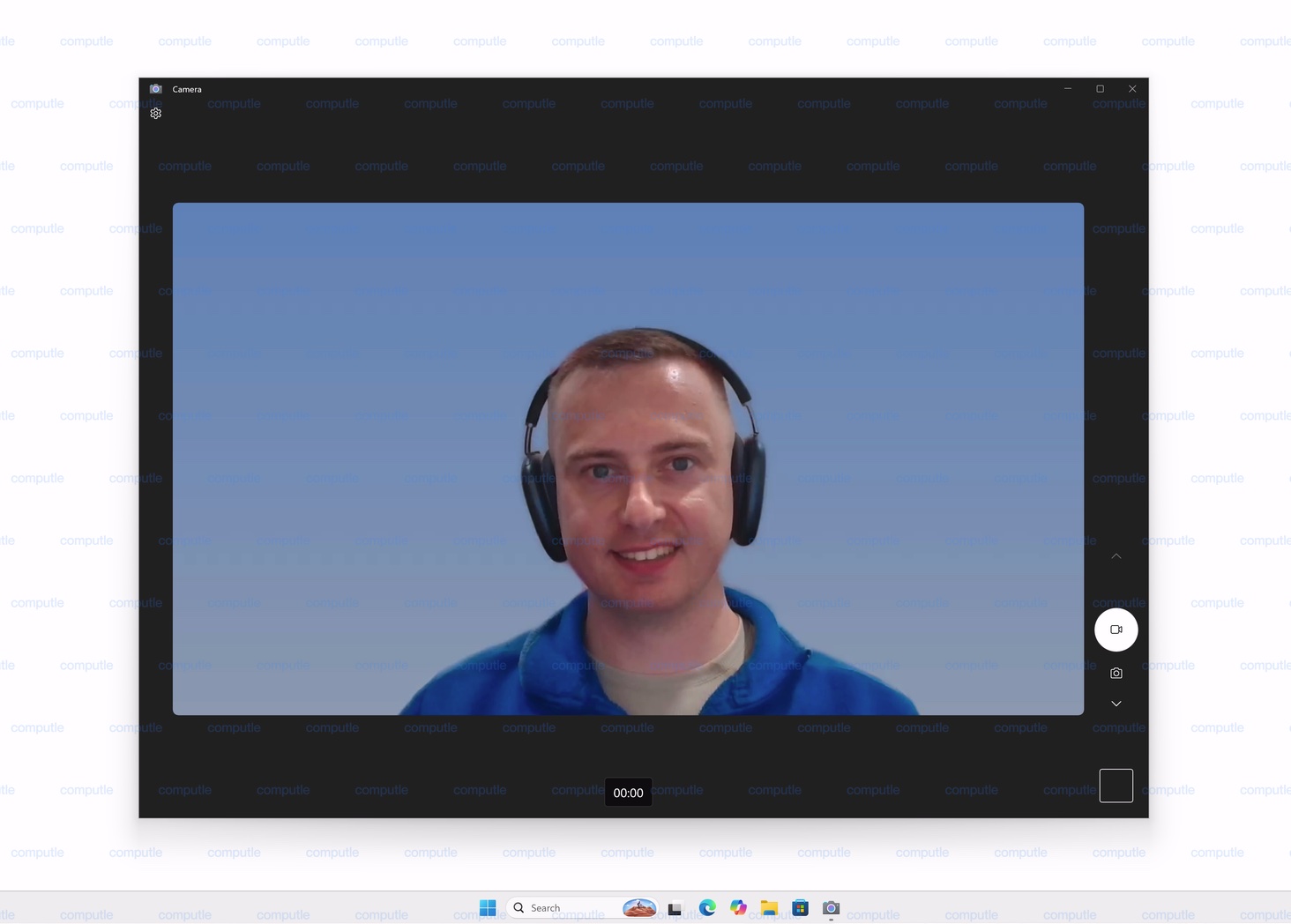
Today, using your camera or microphone on a Computle workstation means manually toggling them on. With Computle Client v4, this becomes automatic — the Client detects when Windows wants access to your mic or camera and enables it on the fly, without you needing to think about it.
Automatic reconnects with reboot status
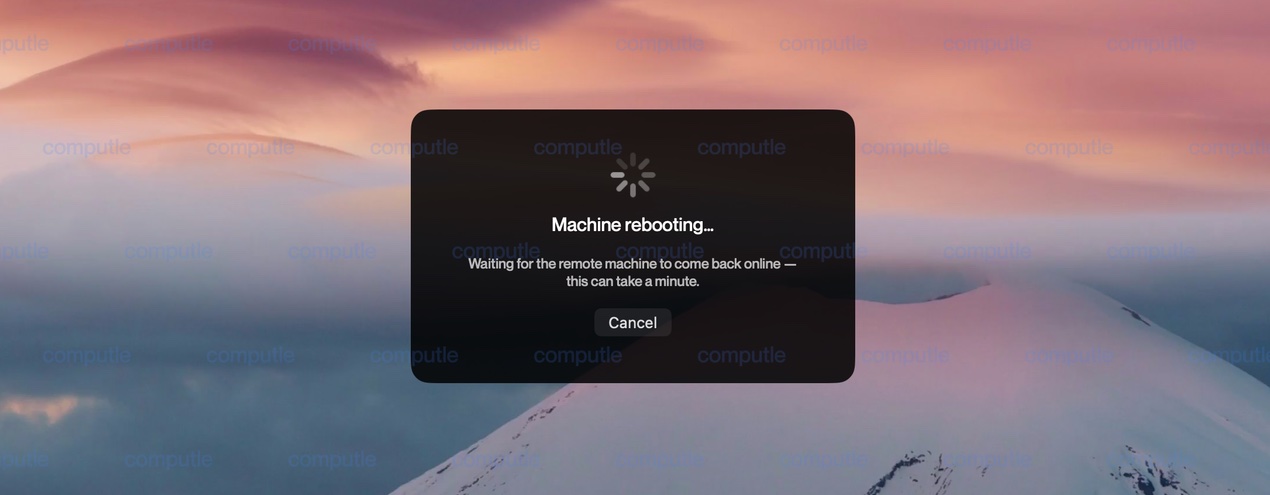
The Computle Client will show live information on machine status during reboots, so users can see what's happening in real time. When the machine reboots, it will automatically reconnect without any user intervention.
Action Centre
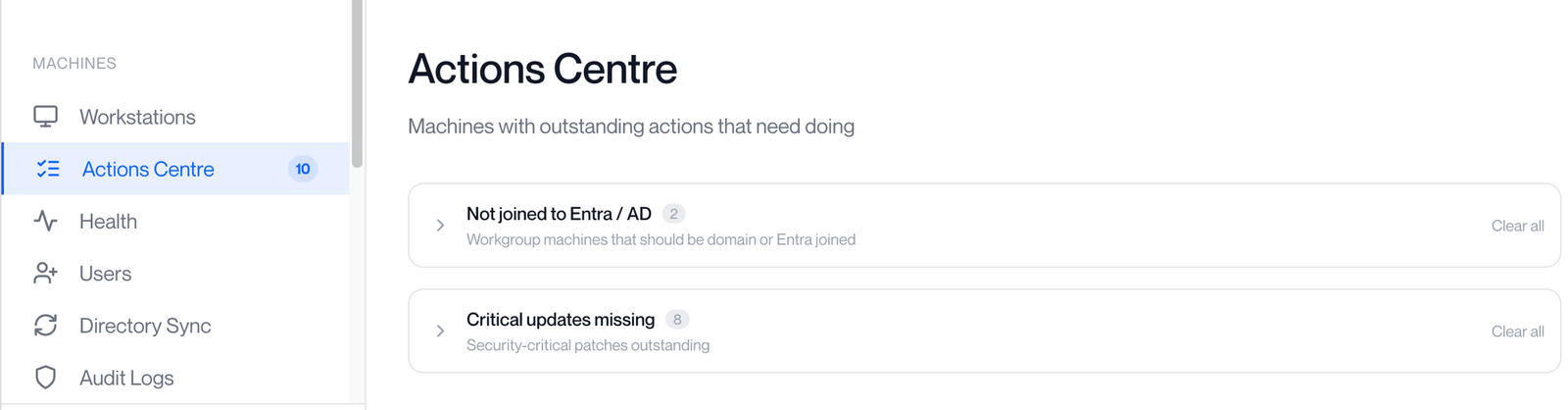
Inside Action Centre, administrators can see pending actions for their Computle workstations without needing to check manually. This includes machines that need joining to Entra/DC, and machines with missing Windows updates.
We'll have a more detailed post on the client-side changes above in the near future. For now, this is a high-level preview of what's coming.